
Creation Stations
Our Creation Stations are fun, creative technology stations where you can bring your ideas to life and pick up awesome new skills! You’ll find them at the Launchpad and all our branch locations. Everyone is welcome, so whether you’re exploring for the first time or you’re already a pro, come on by!
Book 1-on-1 help with Creation Stations
Need help getting started with a 3D Printer, Cricut Maker or other Creation Stations?
Contact Us
Have a question? We’re here to help—get in touch with us anytime by email or phone.
digital.services@yourlibrary.ca
Creation Stations at Launchpad
604-231-6475
Creation Stations at Cambie
604-231-6462 ext. 2
Creation Stations at Ironwood
604-231-6468
Creation Stations at Steveston
604-231-6424 ext. 2
3D Printing
Use our 3D printers at the Brighouse Launchpad, and at Ironwood, and Cambie Libraries to make your own items — fix things, make gifts, or create custom designs!
New to 3D printing? Here’s what to do:
- Get a free Richmond Public Library Card
- Complete the Online 3D Printer Orientation
- Send us your 3D file to add to our Printing Queue
- Pick up your finished item
Note: You must be 12 or older to get certified.
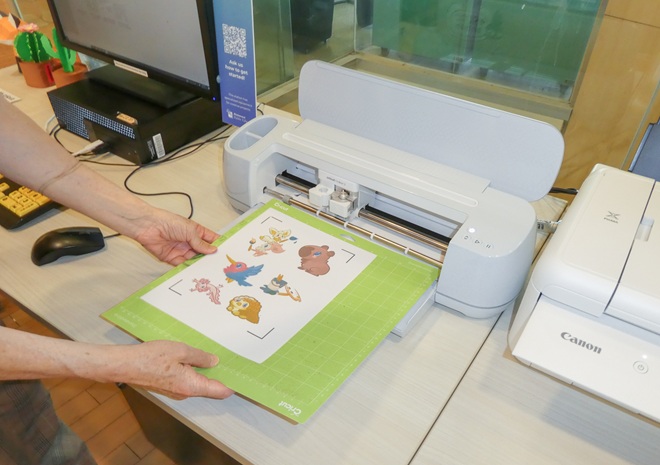
Cricut Maker
- Get a free Richmond Public Library Card
- Complete the Cricut Maker 3 Orientation
- Visit our Cricut Maker Stations.
To use the EasyPress 2 or Mug Press at the Launchpad, book an appointment with Launchpad staff.
Digitization
Have old VHS tapes, records, or cassettes? Visit our Digitization Station at the Launchpad (Brighouse Library) to turn them into digital files you can save and share.
What We Can Convert
- VHS tapes
- Floppy disks
- Records
- Cassettes
How to Use It
- Get a free Richmond Public Library Card
- Drop in to the Digitization Station at the Launchpad (Brighouse Library)
- Bring a USB drive to save your digitized files
Photo Scanner
Want to scan and save your old photos? Use our Epson Flatbed Scanners at the Launchpad (Brighouse Library) and Ironwood Library. They can scan photos, slides, and negatives.
How to Get Started
- Get a free Richmond Public Library Card
- Drop in to use the Scanner Station at the Launchpad (Brighouse Library) or Ironwood Library
- Bring a USB drive to save your scanned files
Laser Cutter
Use our laser cutter at Brighouse Library to cut and etch designs on wood and cardboard. Coming soon!